Adding images and files
How to hand AdenAI your logo, photos or a PDF, which formats work and how much space you get.
Most projects need material only you have: a logo, product photos, a price list as a PDF. Upload it once and AdenAI can use it in every ticket from then on.
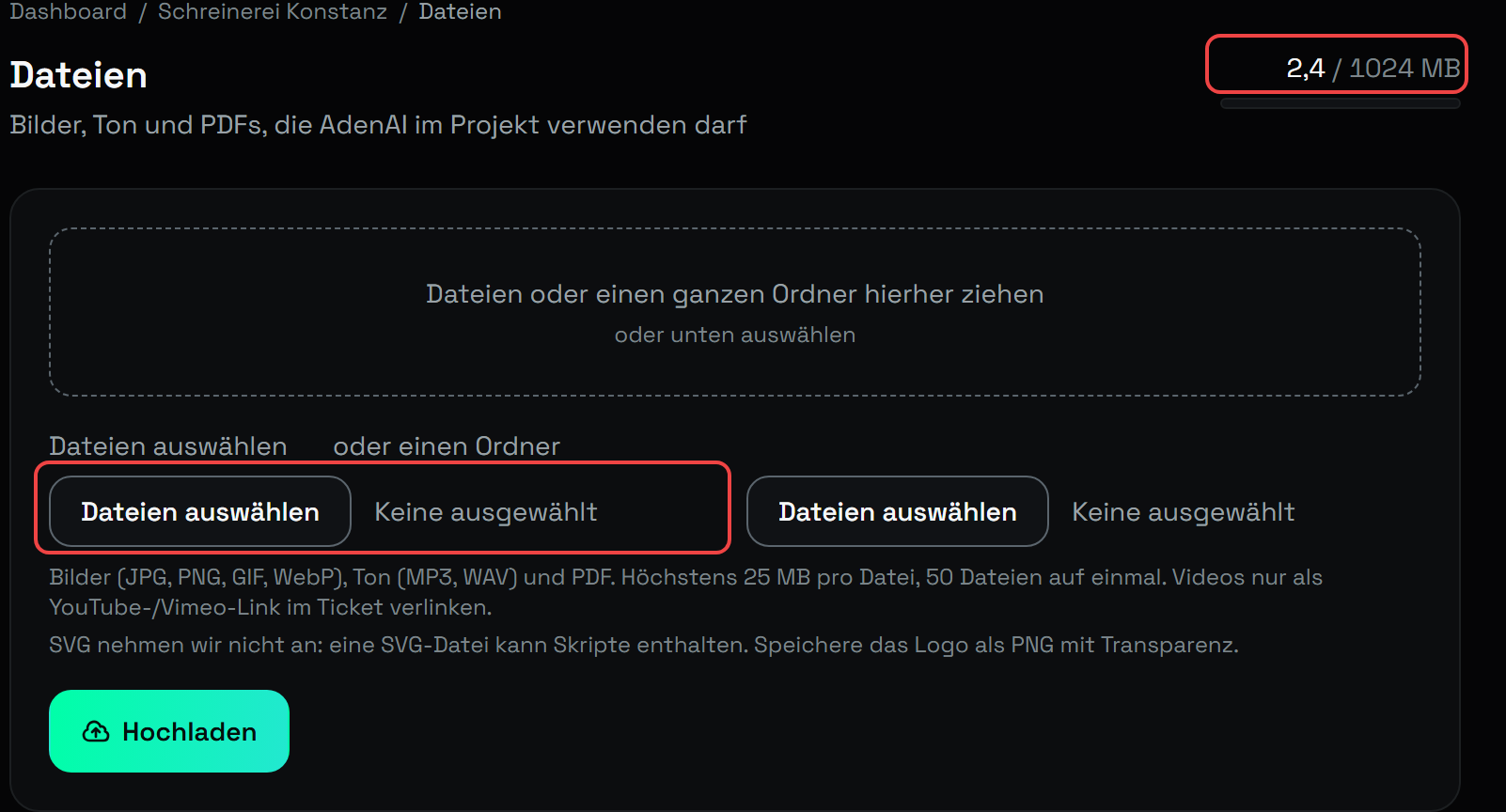
You will find it inside a project under Dateien (Files). At the top sits the upload box with the field Dateien auswählen (Choose files) and the button Hochladen (Upload). At the far right of the heading line stands the storage you have used so far.
What you can upload
| Format | Extensions |
|---|---|
| Images | .jpg, .jpeg, .png, .gif, .webp |
| Audio | .mp3, .wav |
| Documents | .pdf |
A single file may be at most 25 MB, and you can pick up to 50 files at once. Videos do not get uploaded. Link them in the ticket as a YouTube or Vimeo address.
We do not accept SVG
An SVG file is text underneath and can carry scripts and outside references. You cannot tell that by looking at the file, so it stays out. Save your logo as a PNG with transparency and it will look the same on any background.
How much space you get
Storage counts for your whole account, not per project.
| Plan | Storage |
|---|---|
| Trial | 50 MB |
| Dev | 1 GB |
| Pro | 5 GB |
| Team | 5 GB |
The list shows how much is in use. When the space runs out, the upload is rejected and says so. Nothing disappears quietly.
Making sure AdenAI actually uses a file
The files live in your project's working directory in the assets/ folder. AdenAI can
find them there, but it will not place them anywhere on its own.
Name the file in your ticket. That is the whole trick:
Put
logo-aden.pngin the top left of the header and link it to the home page.Use the photos from
assets/for the gallery on the home page, three side by side.
Without a pointer AdenAI will not pick something for you. A ticket like "make the site prettier" will not bring your images in.
Files survive every run
The assets/ folder is left untouched, even when AdenAI rebuilds the project or
pulls it back from GitHub. What you uploaded is yours and does not get overwritten.
Deleting
Use the bin icon in the list. AdenAI asks once, and then the file is gone, including from the project folder. Anything AdenAI already built stays in the code. It will then point at a file that no longer exists. Write a ticket saying what should go there instead.
Who may upload
The project owner and any team member with the Editor role. A Viewer can see and download the files but cannot upload or delete. More on this in Inviting your team and roles.
Stand: 2026-08-30
Alle Artikel